Projects scale, stay on track.

AYON connects your production data directly to your artists' tools. Manage projects with the simplicity of a spreadsheet and the power of a fully automated pipeline.
The Project Overview: Your Command Center
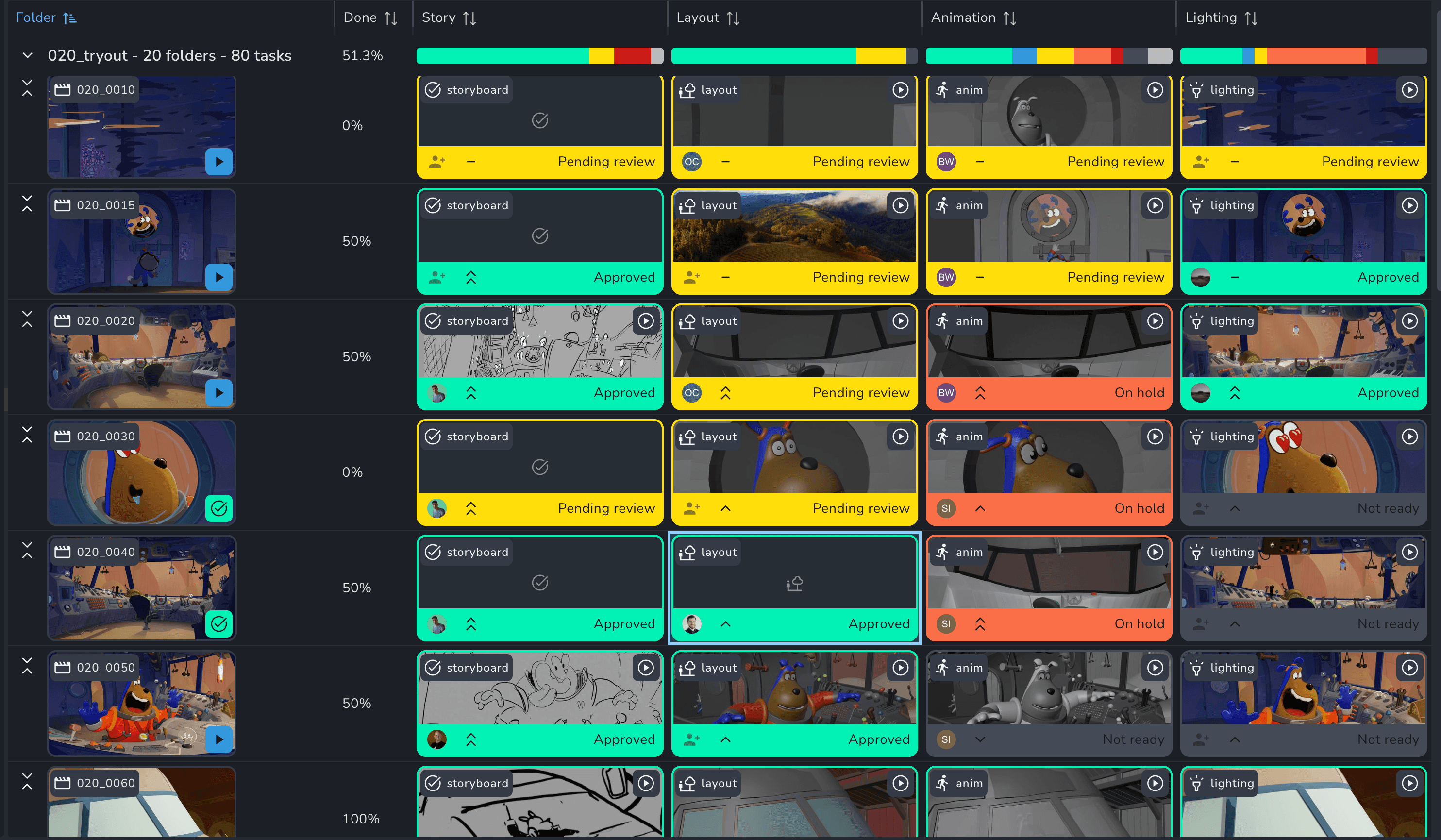
Spreadsheet-Speed

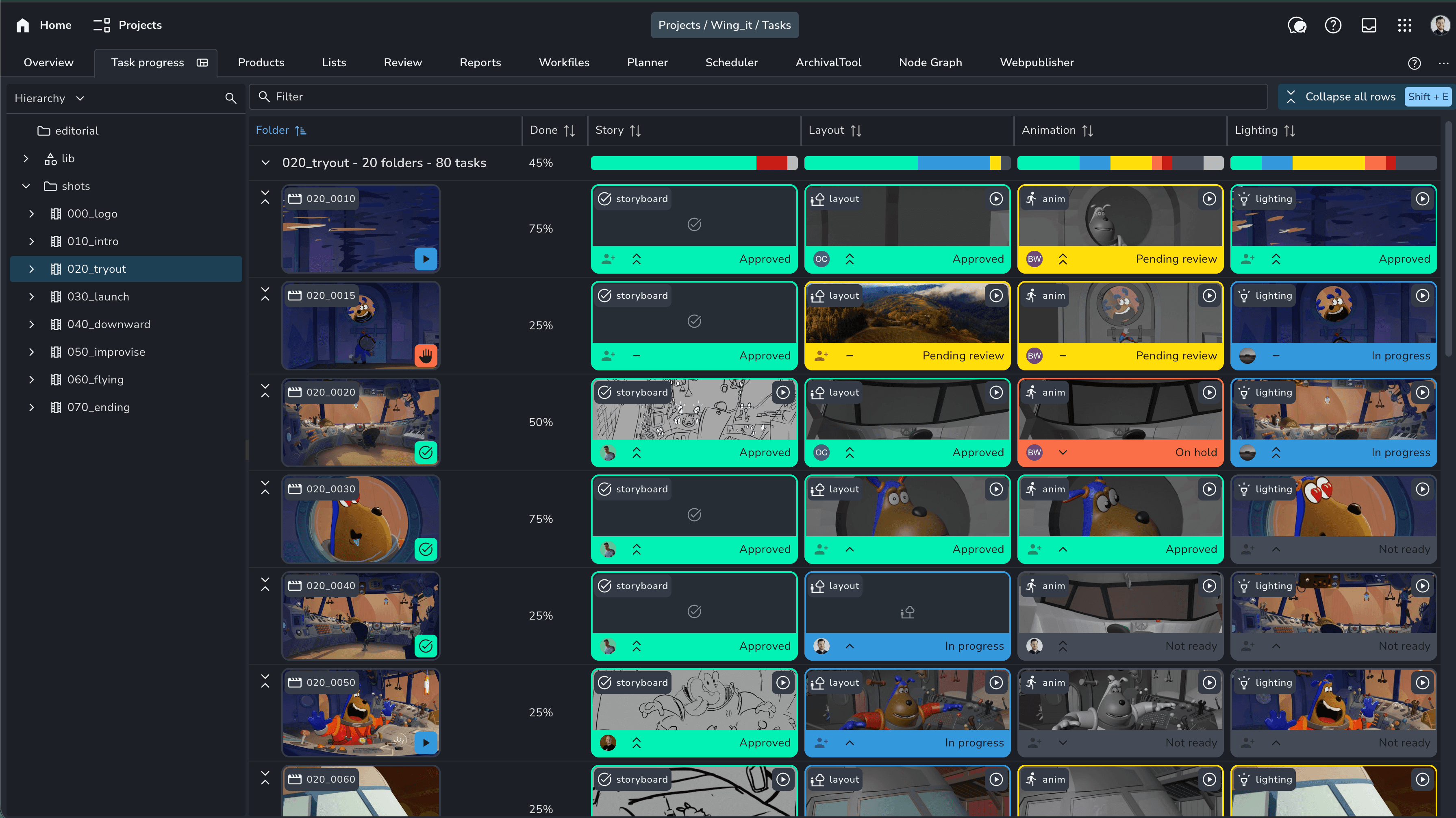
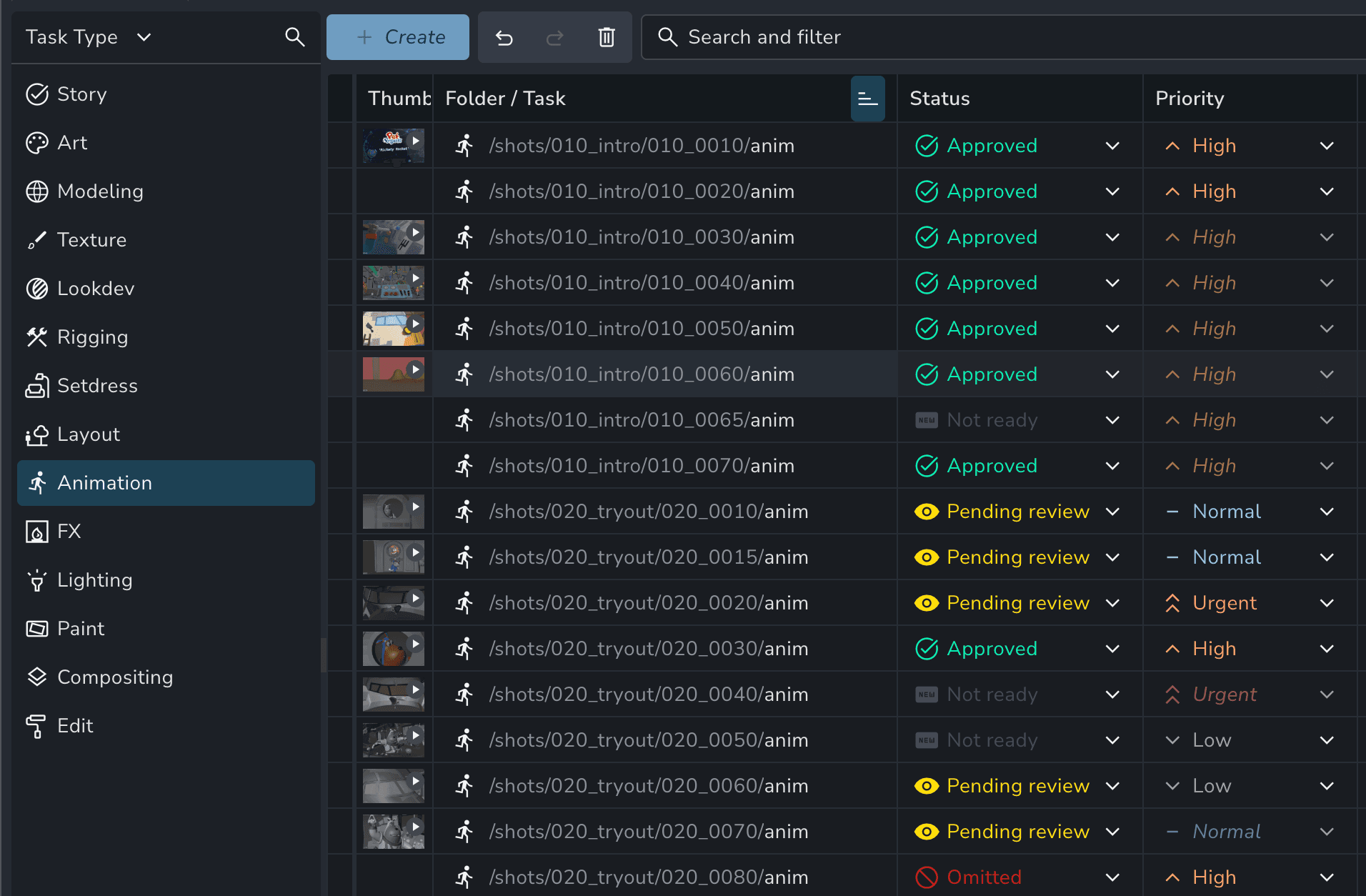
Edit statuses, assignees, and tags for hundreds of shots at once. Toggle the hierarchy off to see every "Animation" task across the whole show in a single list.

Spreadsheet-Speed

Edit statuses, assignees, and tags for hundreds of shots at once. Toggle the hierarchy off to see every "Animation" task across the whole show in a single list.

Flatten and simplify

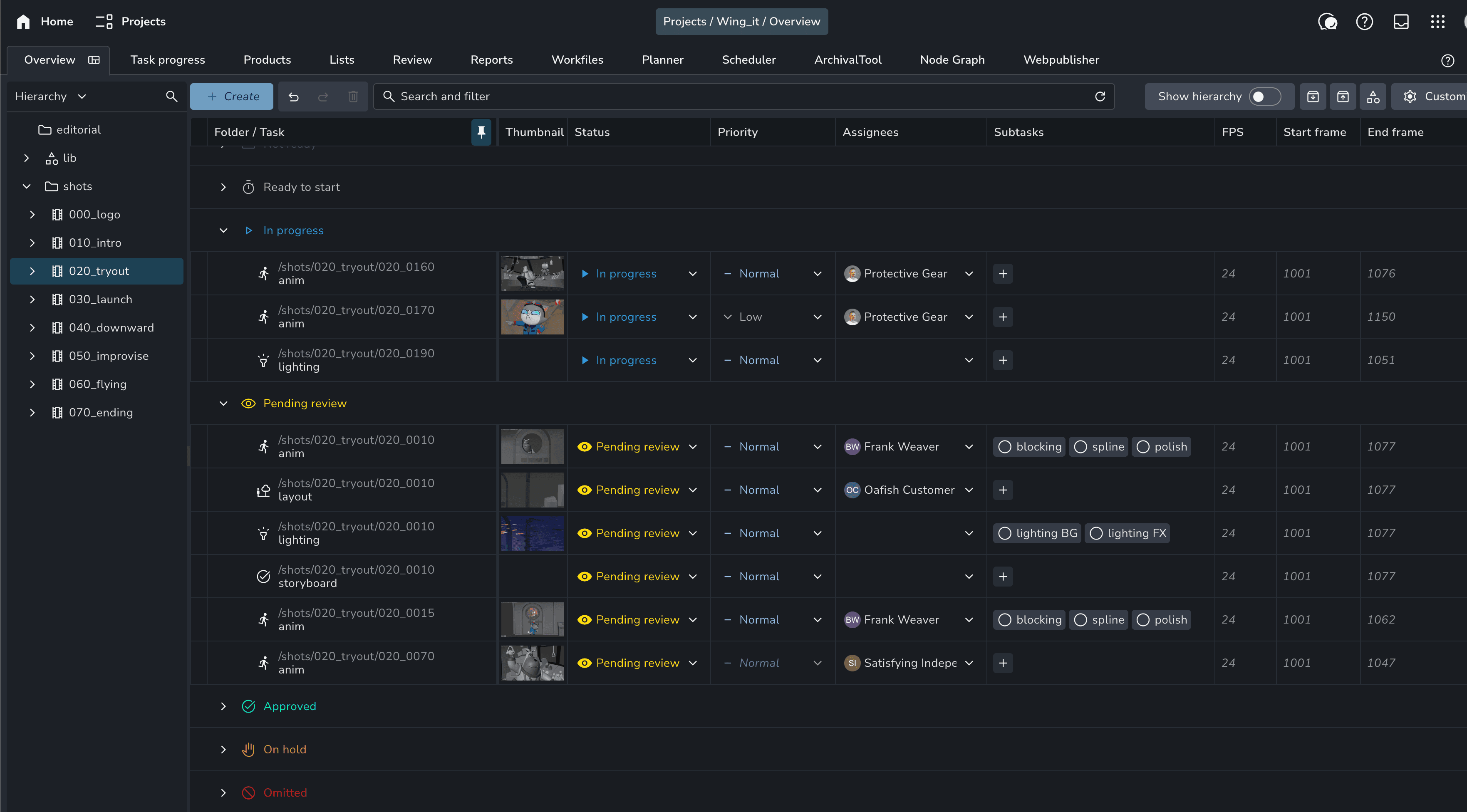
Toggle the hierarchy off to see every "Animation" task across the whole show in a single list.

Flatten and simplify

Toggle the hierarchy off to see every "Animation" task across the whole show in a single list.

Intelligent Filtering & Search

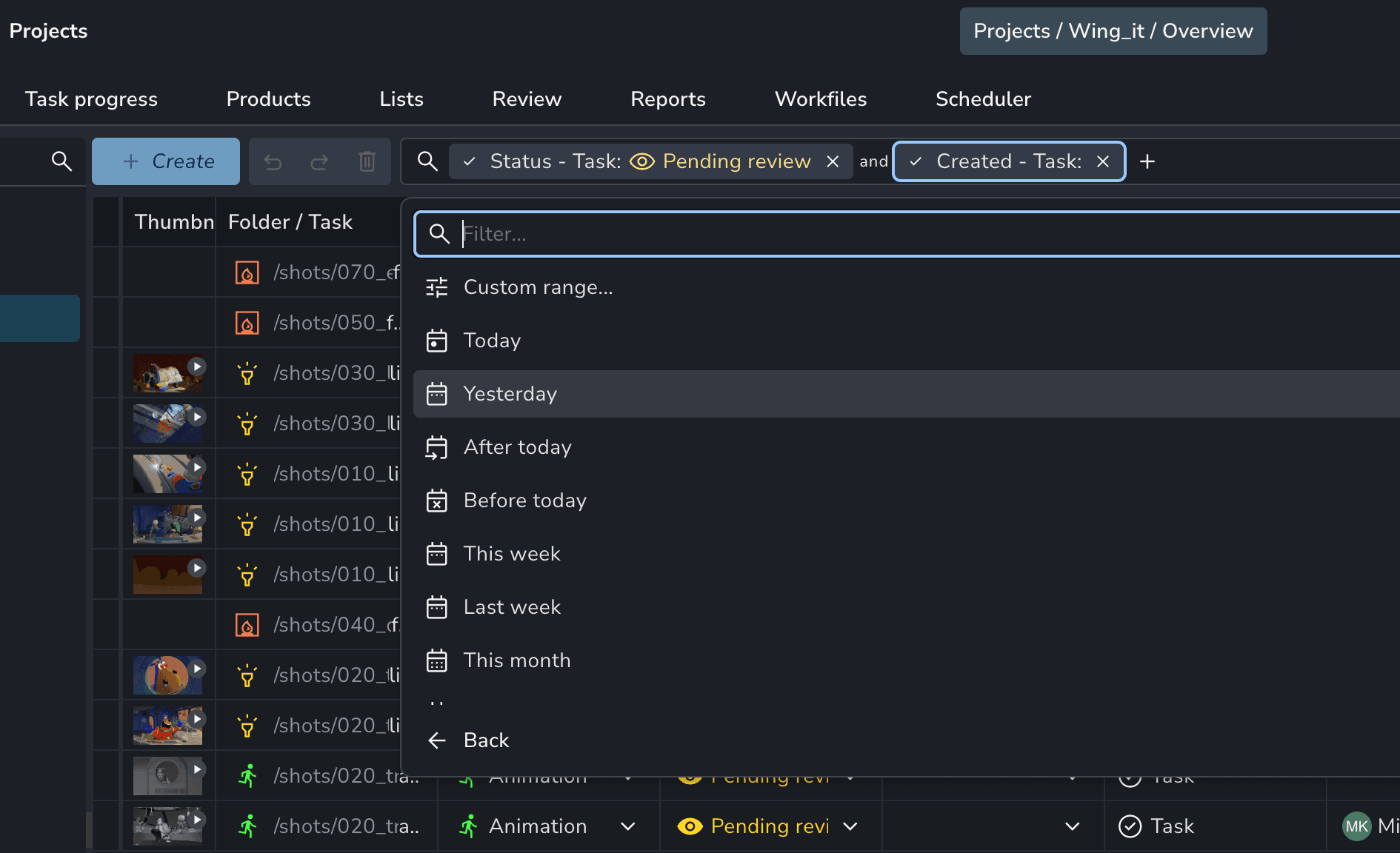
Find exactly what you need in seconds. Filter by "High Priority" or "Stalled" tasks to identify bottlenecks before they derail your schedule. Combine filters with quick data slicing for immediate results.

Intelligent Filtering & Search

Find exactly what you need in seconds. Filter by "High Priority" or "Stalled" tasks to identify bottlenecks before they derail your schedule. Combine filters with quick data slicing for immediate results.

Dynamic Grouping

Organize your view by Status to see bottlenecks, or by Assignee to balance the team's workload.

Dynamic Grouping

Organize your view by Status to see bottlenecks, or by Assignee to balance the team's workload.

Build shareable views

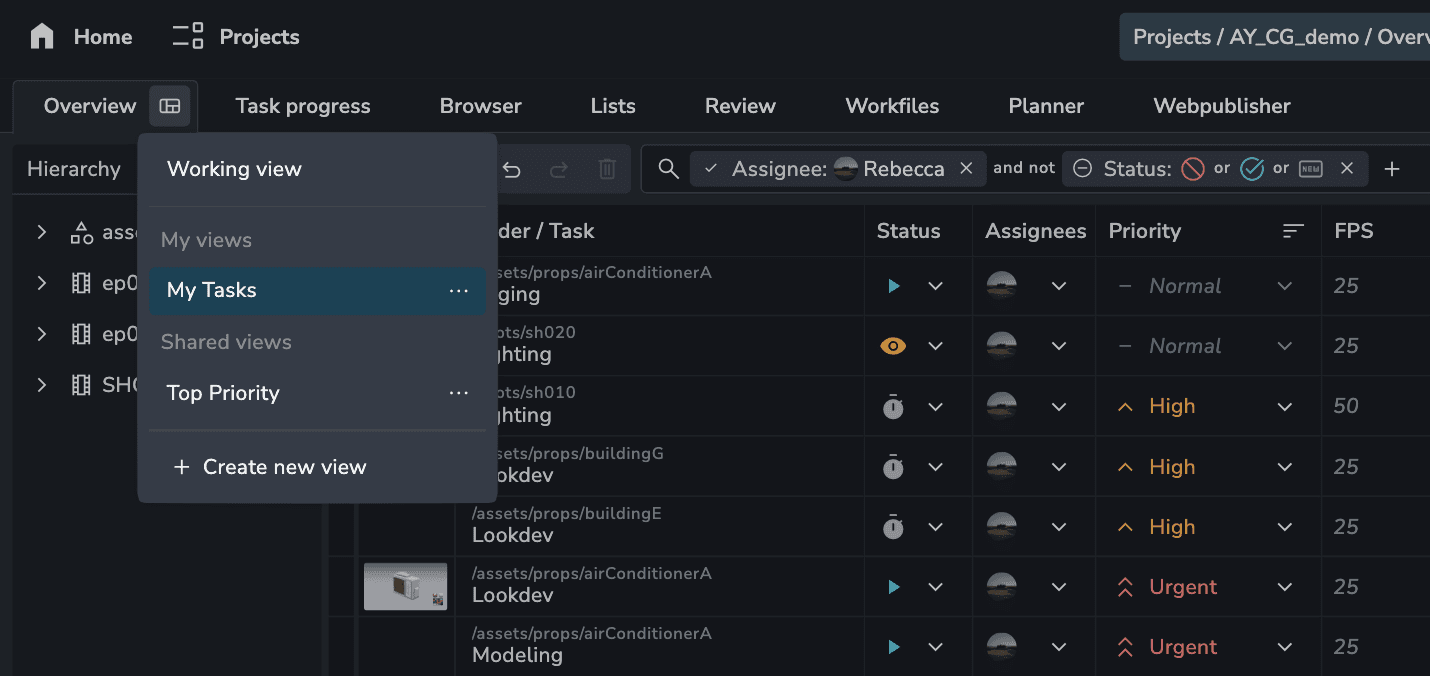
Create a layout that matches your role and help others do the same. Producers can keep it compact for data density; Supervisors can expand rows to focus on asset thumbnails.

Build shareable views

Create a layout that matches your role and help others do the same. Producers can keep it compact for data density; Supervisors can expand rows to focus on asset thumbnails.

Anatomy of a Project

Before you dive into the tools, it’s important to understand how AYON organizes your world. We use a clear, logical hierarchy that scales from boutique shops to global enterprises:

eco
Folders

Whether it's Episode > Sequence > Shot or Category > Asset, folders define the "where."

eco
Tasks

The "work areas" (e.g., Layout, Rigging, Comp). This is where your artists live.

eco
Attributes

The DNA of your project. Frame rates, handles, and resolutions are stored and inherited across the project.

eco
Products, Versions

The actual output. AYON tracks each product and its version history automatically.

Stop Managing Spreadsheets. Start Managing Projects.

AYON is a studio production platform for animation and VFX teams, keeping pipeline and production connected from planning to final delivery.

AYON is a studio production platform for animation and VFX teams, keeping pipeline and production connected from planning to final delivery.

AYON is a studio production platform for animation and VFX teams, keeping pipeline and production connected from planning to final delivery.