Product updates
Planning gets closer to real life: what’s new in AYON Planner

A production schedule has to deal with more than tasks and dates. People work different hours, meetings happen every week, freelancers move between projects, holidays interrupt otherwise sensible plans, and some of the information production works with shouldn’t be visible to everyone in the studio.
Throughout September, AYON Planner has gained several features designed around that reality. Capacity and Workload tracking made it possible to compare bookings with the time people actually have available. Recurring Events now make repeated bookings much easier to maintain, while new access controls give studios much more say over who can see and edit events and the information attached to them.
Taken together, the schedule can now reflect more of how a production team actually works.
A schedule needs to understand the people behind the bookings
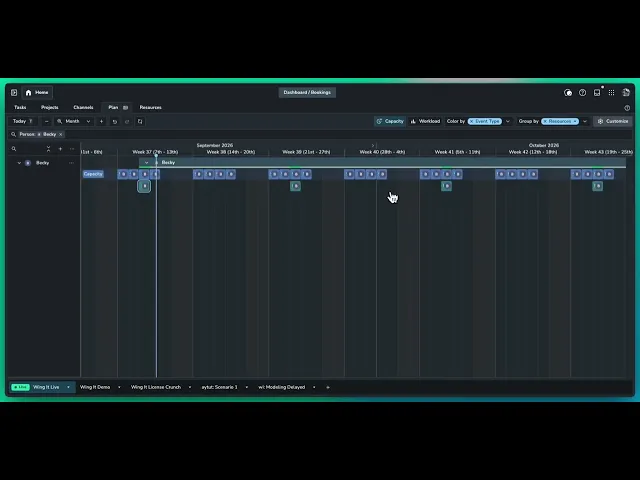
Earlier this month, we introduced Capacity and Workload tracking to Planner. Instead of treating a booking as proof that someone has time available, production can define an artist’s actual capacity and compare it with everything already sitting in their schedule.
That matters when the team doesn’t fit neatly into identical eight-hour working days. Someone might work part-time, a freelancer may only be available for part of the week, or an otherwise free afternoon may already contain a review session and several hours of meetings.
Capacity gave those bookings more context. Planner can show when someone still has room to take on work, when their bookings match their available time, and when the schedule has started asking for more hours than they actually have.
The next challenge is keeping all of that information practical to maintain.
Some things really do happen every Tuesday
Production calendars contain plenty of events that aren’t one-offs.
A department might meet every Wednesday morning. Dailies could run at the same time each weekday. A supervisor might only be available on Mondays, Wednesdays and Fridays. Someone may have a regular working pattern or a resource could be booked repeatedly throughout a particular phase of production.
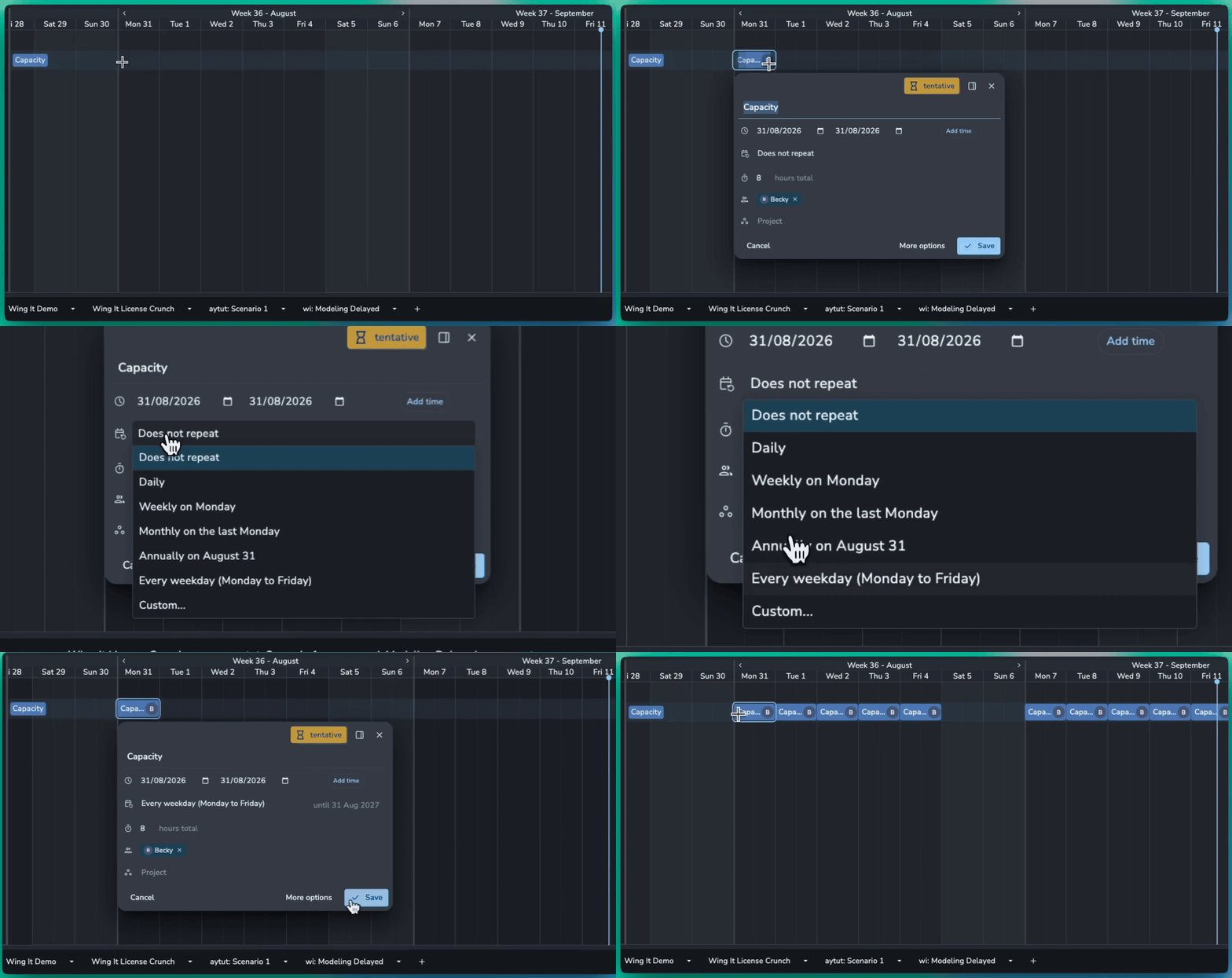
With Recurring Events, those patterns can now be created once and repeated automatically.
Recurrence can follow straightforward daily or weekly patterns, specific days of the week, intervals such as every other Wednesday, or monthly rules such as the first Monday or last Friday of the month. That makes Planner useful for more than duplicating individual production bookings across a calendar.
Real schedules rarely stay untouched once they’ve been created, so recurring events can change without forcing the whole series to change with them. An individual occurrence can be updated on its own, or a change can be applied to that event and everything following it. Production can also update or remove the complete series when the underlying plan changes.
If Wednesday’s production meeting moves to Thursday just once, it doesn’t mean every future Wednesday needs to move with it.
Not everybody needs to see everything
As more studio planning moves into one place, another problem appears. Visibility isn’t always the same thing as access.
A freelancer may need to know that someone is unavailable without needing to know why. An artist doesn’t necessarily need to see somebody else’s day rate. Client notes, budgeted hours or other production information may only be appropriate for supervisors or production management.
Planner 2.3 adds access permissions designed around those differences.
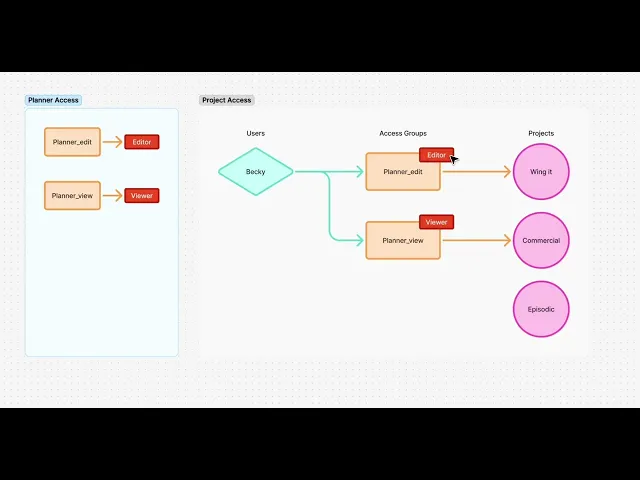
Access to project events can now follow the access groups a user has within that project. Someone could therefore have permission to edit events on one production, view events on another and have no access to the details of events elsewhere.
There are three levels of event access. Editors can create and change events, viewers can see the event without modifying it, while users with no access still see that time is occupied but the event itself is redacted.
That last distinction is particularly useful for resource planning. You may need to know that an artist is already busy before assigning more work, even when you don’t need access to the project, meeting or other commitment taking up that time.
Studio events, such as holidays or company-wide meetings, can have their own access rules separately from project work.
The details can have permissions too
Permissions also go deeper than the event itself.
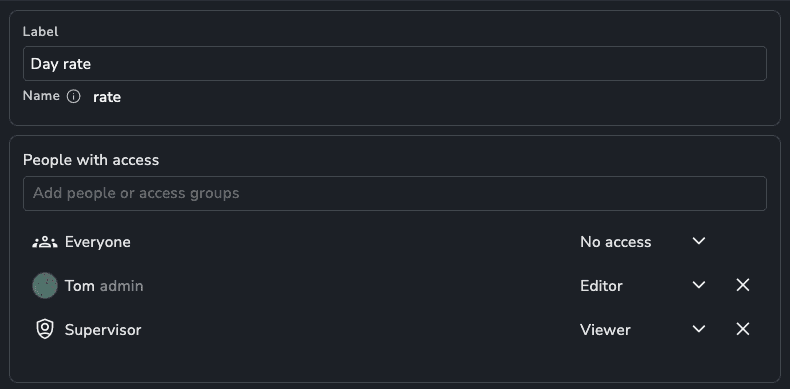
Individual event and resource attributes can now have their own access controls, with visibility and editing rights given to everyone, particular users or specific access groups.
A producer might be able to edit budgeted hours while a department lead can only see them. Day rates could remain hidden from artists while still being available to the people responsible for resourcing. Client notes could stay within the production and supervision team rather than appearing to everybody who happens to share the schedule.
This lets studios keep useful planning information close to the booking it belongs to without making every field equally visible to every person using Planner.
It also reduces the need to maintain a second private spreadsheet simply because part of the planning data is sensitive.
From the shape of a production to the hours in somebody’s day
Planner has been gradually filling in the space between the broad production plan and what individual people are actually expected to do.
The Phase Planner can map the higher-level shape of a production. Scheduler connects that plan to project tasks, dates and assignees. Capacity and Workload add the reality of how much time people have available. Recurring Events account for the commitments and working patterns that keep appearing throughout a production, while access controls make it possible to expose the right parts of that plan to the right people.
None of those features makes a production predictable. Schedules will still move, availability will change and the plan that looked sensible on Monday may need adjusting by Thursday.
The useful part is having more of that reality represented in the schedule itself.
Production can see not only who has been booked and when, but whether they have the capacity, what repeated commitments already exist around the work, and which parts of that information are appropriate for each person to see.
That makes Planner less like a collection of blocks on a calendar and more useful as a working model of the team behind the production.